SenseCAP T2000 Battery Life: From 1 Year to 9 Years
26th October 2026•By Neil Skoglund
T2000 Guide
Seeed quotes anything from just over a year to 9 years for the SenseCAP T2000. Both figures are honest. The same 8000mAh battery gives you one or the other depending on how often the tracker reports, how it finds its position and where it is mounted.
This guide explains what Seeed's figures mean, which settings decide where your tracker lands in that range, and when the solar-powered T2000-C is the better choice. It applies to all three models. For the hardware itself, see our SenseCAP T2000 page, and if you are still choosing a version, read T2000-A vs T2000-B vs T2000-C.
What Seeed's Figures Say
Seeed publishes two headline figures for the battery models and a qualitative one for the solar model. These are the only numbers Seeed puts in its documentation, so they are the ones we use.
Model
Power
Seeed's battery life figure
T2000-A / T2000-B
8000mAh primary Li-SOCl2 cell, not rechargeable
Over 1 year with hourly GPS uplinks; up to 7 to 9 years with longer intervals
T2000-C
4000mAh rechargeable lithium battery + 0.5W solar panel
Multi-year, low-maintenance running under regular sunlight and moderate intervals
Source: Seeed's SenseCAP T2000 documentation.
Seeed adds its own caveat: actual life varies with the uplink interval, the positioning mode and the deployment environment. For a detailed estimate with your own settings, Seeed publishes a T2000 battery life calculator as a spreadsheet.
Read the hourly figure as the everyday case: GPS once an hour, periodic mode, the tracker mounted where it can see the sky. The 7 to 9 year figure is what a long interval makes possible. Where your tracker lands depends on the settings below, and some of them can push it below the bottom of the range.
Why the Range Is So Wide
Like any LoRaWAN tracker, the T2000 spends most of its time asleep. Each time it wakes it finds its position and sends a short message. Battery life comes down to how often that happens and how much each wake-up costs.
Uplink interval
The biggest lever. Every report means a position fix and a radio message, which is why Seeed's figure moves from just over a year at hourly updates to 7 to 9 years at longer intervals.
Positioning strategy and GNSS scan time
GPS searches for up to the GNSS scan time, 60 seconds by default. Seeed advises against raising it, because a longer search uses more power. Combined strategies like GNSS + Wi-Fi can run a second search when the first fails.
GPS searches that fail
Inside a steel container, a shed or under bodywork, the tracker can search for the full scan time and still get nothing. It pays for the search every time. Mount it with a view of the sky, or use the T2000-B's Wi-Fi.
The 3-axis sensor
The accelerometer is off by default, and Seeed notes that enabling it increases power consumption. You need it for movement and shock events, so turn it on where those alerts matter.
Event mode on busy kit
In event mode the tracker reports at its uplink interval on motion while it's moving. A short motion interval on a machine that works all day means short-interval reporting all day.
Confirmed uplinks and the cache
The T2000 asks the network to confirm its messages by default, so a weak signal means retries. With the data cache on, stored records are sent later, one every 40 seconds, which adds radio time.
Distance from a gateway
Far from a gateway, messages go out at slower data rates and take longer to send. A tracker at the edge of coverage uses more power per message than one near a gateway.
Primary Cell vs Rechargeable
The T2000-A and T2000-B run on a primary lithium thionyl chloride (Li-SOCl2) cell, an ER18505 with 8000mAh. Primary means single use: it is not rechargeable, and you shouldn't try to charge it. That is the point of the design. You fit the tracker to a machine, a container or an animal and leave it, with no charging rota to manage.
The flip side is that when the cell is flat, the tracker stops. Seeed's documentation doesn't cover what happens at end of life, so if you are deploying at scale, ask your supplier before you buy rather than after. In practice, choose your interval with the whole life of the asset in mind, and watch battery levels so a tracker running low is a planned job, not a surprise.
It is a different model from the card-sized T1000, which has a 700mAh rechargeable battery. Seeed's FAQ gives about 3.5 months at hourly GPS updates (106 days on EU868), with a headline figure of 4 months, and then it goes back on its charger. Our T1000 battery life guide covers that one, and the T2000 vs T1000 comparison explains which suits which job.
The Solar T2000-C
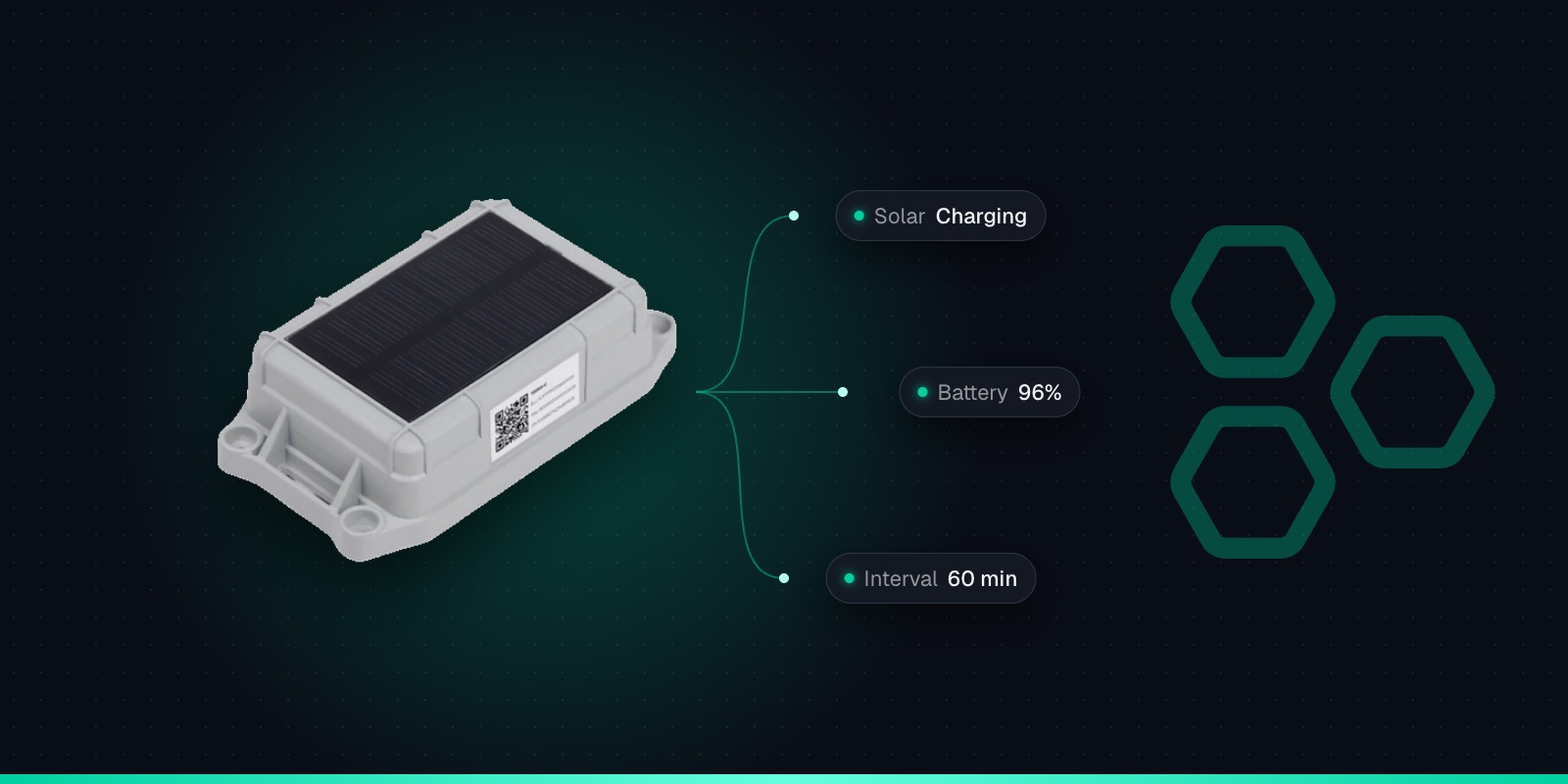
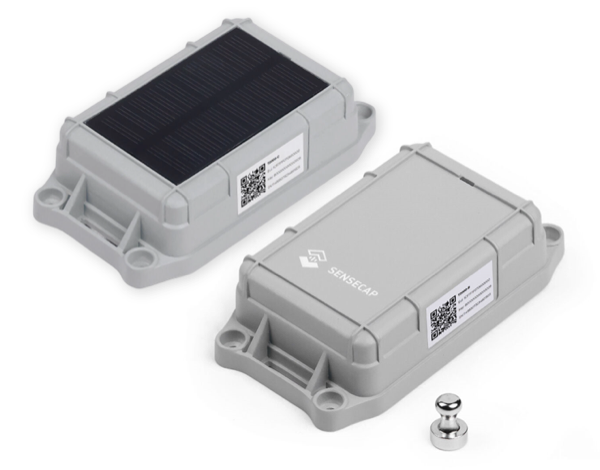
The T2000-C pairs a 4000mAh rechargeable lithium battery (an INR18500 cell) with a 0.5W solar panel. The panel tops the battery up in daylight, so instead of a fixed life the C runs for as long as it gets enough light for the way you have set it up. Seeed describes that as multi-year, low-maintenance operation under regular sunlight and moderate uplink intervals.
Placement matters most. Mount it where the panel faces open sky and isn't shaded by bodywork, buildings or trees for most of the day. A C screwed under a trailer or inside a shed is a 4000mAh battery tracker with no charger.
Daylight varies. Seeed doesn't publish a winter figure. Short, dull days give the panel less to work with, so a setting that is comfortable in June may not keep up in December.
Charging has limits. Seeed rates charging at 0 to 45°C, so don't count on the panel topping up the battery in a frost or on a scorching day.
The operating range is narrower. The C works from -20 to +60°C, against -40 to +85°C for the A and B. It is also not ATEX certified, and it has no Wi-Fi.
The C makes sense for kit that lives outdoors in daylight: tower lights and equipment on open ground, machinery parked in the open, or animals out in the fields. If the tracker will spend its life in the dark or in extreme cold, the A or B is the safer choice.
Suggested Settings for Common Jobs
These are starting points, not rules. Settings are made in the SenseCraft app over Bluetooth: tap the magnet twice to turn Bluetooth on. Because you need to be near the tracker to change them, it pays to decide before you mount it.
Parked plant and machinery
Hourly reports while it sits still, plus a prompt report when it moves. In the app that's event mode with the non-event interval at 60 minutes, the 3-axis sensor enabled and the motion event on. Expect less than Seeed's hourly figure if the machine works every day.
Containers and trailers in transit
Periodic mode, every 60 minutes, with the Location Data Cache switched on. Seeed says 1,000 cached records cover about 41 days at hourly updates, so a journey out of coverage still shows up on the map once it reconnects.
Livestock
Periodic mode, which Seeed recommends for livestock monitoring. Match the interval to how quickly you'd act on it: there is little point paying for 15-minute reports on animals you'd only check twice a day.
Assets that rarely move
A long periodic interval, several hours or more, is how you head towards Seeed's 7 to 9 year figure. Standby mode goes further: it sends only a battery heartbeat (every 12 hours by default), and you request a position by downlink when you need one.
For kit that spends time around buildings, consider the T2000-B with the "Wi-Fi + GNSS" strategy, which tries Wi-Fi first and only falls back to GPS. It avoids paying for GPS searches that are bound to fail under a roof. Trackpac's location engine turns the Wi-Fi scans into a position.
A tracker left switched on in a store keeps waking up to look for its position and report, with nothing to gain. Seeed recommends powering the T2000 off when it isn't in use. There is no button: tap the supplied magnet on the sensor area 4 times quickly and the green LED lights for a second. The same 4 taps switch it back on, and it then goes straight into Bluetooth pairing.
Keep the magnet with your spares, not loose in a van. Without it you can't switch the tracker on or off, or connect to it with the app.
Low Battery Alerts in Trackpac
Every T2000 reports its battery level with its location, and sends a heartbeat with the battery level even when nothing else has gone out (every 12 hours by default). Trackpac decodes it and shows it alongside each tracker on the map, so you can see which ones are running down.
Better still, set an alert rule on battery percentage. It can send an email, SMS or push notification through the Trackpac mobile app to whoever looks after the trackers. Point the rule at a tag rather than a single tracker and every T2000 with that tag shares it. A trigger-lock interval stops repeat alerts while the level stays low, and a "resolved" message follows when it recovers.
On an A or B, that alert is your cue to plan for the end of the cell's life. On a C, it is an early warning that the panel isn't keeping up, perhaps because of shade or the season, so you can move the tracker or lengthen its interval before it goes quiet. Battery level is also the quickest way to check a settings change: if a tracker is falling faster than you expected, you see it in weeks rather than when it stops reporting. Trackpac costs £15 / €18 per tracker per year, covering connectivity, the dashboard, alerts and data storage; see Trackpac pricing or create an account and add your first T2000.
Get Started
See every T2000's battery level on one dashboard
Add your T2000s to Trackpac for live location, tamper and movement alerts, and a battery alert long before a tracker goes quiet.
Works with the T2000-A, T2000-B and T2000-C. Add one with its keys in a couple of minutes.
Connectivity through the Trackpac network, which roams onto Helium, so there's no network server to run.
Dashboard, alerts and data storage from £15 / €18 per tracker per year.
Seeed quotes over one year for the T2000-A and T2000-B with a GPS fix and uplink every hour, and up to 7 to 9 years with longer uplink intervals. For the solar T2000-C, Seeed says multi-year, low-maintenance running under regular sunlight and moderate uplink intervals. Where your tracker lands depends mostly on the interval, the positioning mode, whether the accelerometer and motion events are on, and how good the LoRaWAN coverage is.
Is the SenseCAP T2000 battery rechargeable?↓
Not on the T2000-A or T2000-B. They use an 8000mAh primary lithium thionyl chloride (Li-SOCl2) cell, which is not rechargeable, so don't try to charge it. The T2000-C is different: it has a 4000mAh rechargeable lithium battery that its built-in 0.5W solar panel tops up.
Does the solar SenseCAP T2000-C work in winter?↓
It is rated to operate from -20 to +60°C, but Seeed rates charging at 0 to 45°C, so don't count on the panel topping up the battery in a frost. Shorter, duller days also mean less solar input. Seeed's multi-year claim assumes regular sunlight and moderate uplink intervals, and it doesn't publish a winter figure. Use a longer interval in the darker months if you can, mount the panel where it isn't shaded, and set a battery alert in your platform so you hear early if the level keeps falling.
Why is my SenseCAP T2000 battery draining faster than expected?↓
The usual causes are a short uplink interval, event mode with a short uplink interval on motion on kit that moves a lot, the 3-axis sensor switched on, GPS searches that fail because the tracker can't see the sky, and weak LoRaWAN coverage causing retries. Check the work mode, uplink interval, positioning strategy and GNSS scan time in the SenseCraft app, and look at where the tracker is mounted. Seeed advises against raising the 60-second GNSS scan time.
How do I turn off a SenseCAP T2000?↓
Tap the supplied magnet on the sensor area 4 times quickly. The green LED lights for a second. The same 4 taps switch it back on. The T2000 has no button, so keep the magnet somewhere you can find it. Seeed recommends powering the tracker off when it isn't in use.
Planning a fleet of T2000s and not sure which settings suit the job? Get in touch and we'll help you work out intervals, positioning and which model to use.